 E
l
e
a
r
n
E
l
e
a
r
n
E
l
e
a
r
n
E
l
e
a
r
n


 Cary Pouros
Good UI/UX design isn’t just about aesthetics — it’s about making interfaces intuitive, accessible, and enjoyable to use. Even small design decisions can significantly impact how users experience your product. In this article, we’ll walk through simple but powerful tips that can instantly improve your UI/UX projects.
1. Use Consistent Spacing and Layouts
A well-structured layout creates a smooth and intuitive user experience. Using consistent spacing, padding, and alignment helps guide the eye and reduces visual clutter. Grid systems play a crucial role in maintaining balance and structure across screens. This not only improves aesthetics but also boosts usability and scanability.
The best design doesn’t draw attention to itself it simply works. When everything feels easy and natural, that’s great UX in action.
Cary Pouros
2. Prioritize Visual Hierarchy
A well-structured layout creates a smooth and intuitive user experience. Using consistent spacing, padding, and alignment helps guide the eye and reduces visual clutter. Grid systems play a crucial role in maintaining balance and structure across screens. This not only improves aesthetics but also boosts usability and scanability.
3. Optimize for Mobile First
Start designing with mobile in mind to ensure a seamless experience across all devices. Use larger touch targets, simplified layouts, and vertical stacking to suit smaller screens. Mobile-first design also encourages better content prioritization. It forces you to focus on essentials before scaling up for desktop.
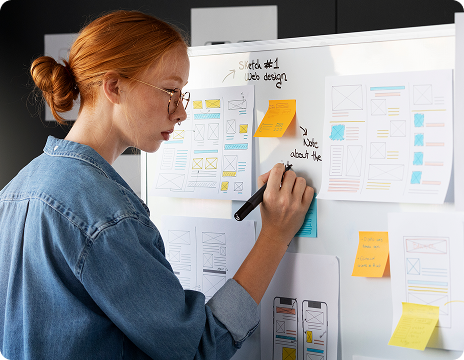
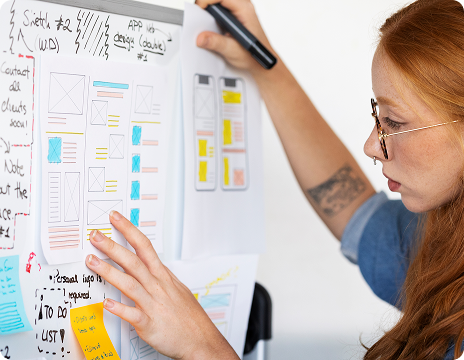
4. Make Interactions Predictable
Users feel more confident when interfaces behave as expected. Buttons should look clickable, forms should show validation, and actions should have clear feedback. Consistency in interactive elements reduces confusion and prevents user errors. Predictability builds trust and leads to a smoother, more enjoyable experience.
5. Focus on Accessibility
Accessibility isn’t optional it’s essential for inclusive design. Ensure strong color contrast, readable fonts, and screen reader support. Labels, alt text, and keyboard navigation make your product usable for everyone, including those with disabilities. Accessible design benefits all users and strengthens overall usability.
 July 15, 2025
Mastering Time Management as an Online Learner
July 15, 2025
Mastering Time Management as an Online Learner
 July 15, 2025
How to Pick the Perfect Course for Your Career Goals
July 15, 2025
How to Pick the Perfect Course for Your Career Goals

July 15, 2025
Cary Pouros
Thanks, It’s amazing how small adjustments can create a more polished and user-friendly experience.

July 25, 2025
Calvin Stroman V
I always find spacing tricky in my layouts. Your grid tip made it much easier to organize my designs and create a more balanced, cleaner interface.
 Related Blog


July 25, 2025
6 Min Read

July 05, 2025
9 Min Read





July 15, 2025
Miss Melody Rowe
This article gave me a fresh perspective on UI design. I didn’t realize how much impact spacing and hierarchy really have.